Best Yoga Studio Management Software in 2026: 7 Platforms Compared on Price & Features
Seven yoga platforms compared on what they actually cost and what they actually include. Real prices pulled from each vendor’s own site, plus the monthly math for a 100 to 200 member studio.
Most comparisons stop at the subscription number. That leaves out two things that move your real bill more than the plan name does: the platform fee charged on every online booking, and the card processing rate. Only a couple of these seven platforms publish either one. So this guide includes both, wherever the vendor makes that possible.
What is yoga studio management software, and what does it actually do?
Yoga studio management software is a single platform that handles a studio’s class and event scheduling, memberships and recurring billing, student check-ins, trainer and staff management, payments, and marketing.
In practice, it replaces the patchwork most independent studios run in year one: a spreadsheet for who has paid, a separate booking link, a card reader that does not talk to either, and a WhatsApp group for when a teacher needs a substitute.
Every serious platform in this category has a few core jobs:
-
Scheduling. Class and event calendars, private sessions, retreats, courses, waitlists, and teacher assignments.
-
Memberships and billing. Recurring dues, class packs, drop-ins, automated payment reminders, and cancellations.
-
Check-in. Front-desk or QR code check-in, with attendance history tied to each student.
-
Trainer and team management. Logins for teachers and front-desk staff, schedules, and payout or performance reports.
-
Marketing and communication. Email broadcasts, lead follow-up, and promotional tools.
-
Reporting. Revenue, attendance, and performance by class or by teacher.
Where these platforms actually differ, and where the money is, is in what is included in the base price versus sold as an add-on, and what the platform charges on top of your card processing.
Which yoga studio platforms publish their pricing?
Only two of the seven below show exact numbers on their own pricing page without a sales call. The rest ask you to fill out a form or “get in touch” before you see a plan.
YogaCRM. Entry price: $19/mo Solo Teacher, $29/mo Business (annual), $0/mo Pay As You Go. Platform fee published: yes, 0% on subscription plans, 2.9% per transaction on Pay As You Go.
Momence. Entry price: Free Basic tier, Pro at $60/mo. Platform fee published: yes, 2.5% on Pro, none on Custom.
Punchpass. Entry price: $59, $99, or $149/mo flat tiers. Platform fee published: no add-on fees stated, processing rate not published.
WellnessLiving. Entry price: $105/mo (rises to $210 after 3 months). Platform fee published: no.
TeamUp. Entry price: starting at $119/mo, billed by active clients. Platform fee published: no.
Mindbody. Entry price: “starting at $79/month per location.” Platform fee published: no.
ABC Glofox. Entry price: “plans starting at $99/month.” Platform fee published: no.
Prices checked from each vendor’s own site, 2026. Mindbody and Glofox both require a sales conversation to see a full tier breakdown.
Which yoga studio management software is best for your type of studio?
Here is each platform on the same four points: who it fits, what it costs, what is actually included, and where it falls short.
1. YogaCRM
Best for: Solo yoga teachers and small to mid-size studios that want scheduling, memberships, payments, and marketing in one place without paying extra for each piece.
Pricing: Solo Teacher runs $19 a month and Business runs $29 a month on the annual plan (billed monthly, those are $29 and $39). There is also a Pay As You Go plan at $0 a month with a 2.9% fee per transaction, for studios that would rather not commit to a subscription at all. Every subscription plan carries a 0% platform fee on online bookings, and there is a 30-day free trial with no credit card required.
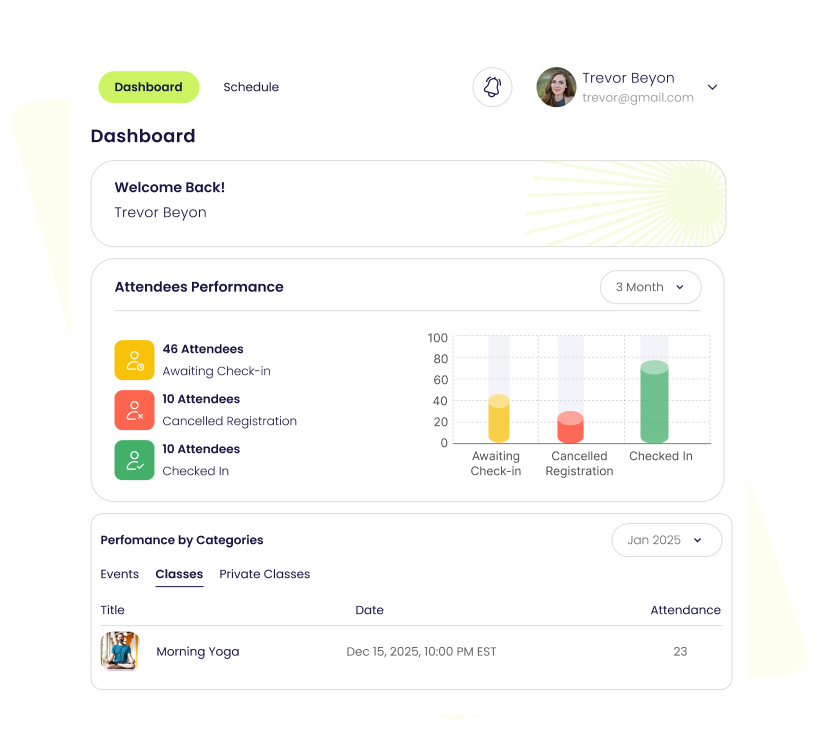
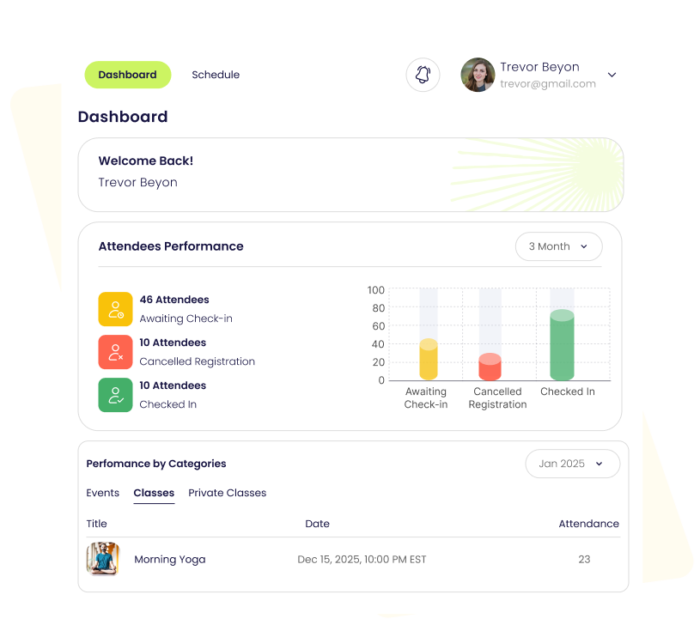
What’s included: YogaCRM is yoga studio management software that helps yoga studios manage memberships, classes, scheduling, payments, leads, customers, and marketing. Unlimited bookings, student management, mobile booking, trainer profiles, attendance tracking, QR code check-in, and basic reporting are standard on every plan, including Pay As You Go.
The pattern with most platforms in this list is a low headline price with the trainer portal, memberships module, and marketing tools sold as separate add-ons. YogaCRM follows a similar add-on structure for extras like the Trainer Portal ($5/month), Retreat management ($10/month), and Course sales ($10 to $25/month), but the core booking, scheduling, check-in, and reporting tools a studio needs day to day are in the base plan itself, not gated behind a higher tier.
The other part of the price is the support behind it: data import from spreadsheets (.xls, .xlsx, .csv) is available at signup, cancellation has no contract or lock-in, and the 30-day trial gives full access to CRM features rather than a stripped demo.
2. Mindbody
Best for: Multi-location studios where being discovered by strangers searching nearby matters. Mindbody’s consumer app, with millions of active users, is a reach channel nothing else on this list has.
Pricing: “Starting at $79 USD/month per location” is the number Mindbody shows without a call. Higher tiers (reported elsewhere in the $139 to $499+ range) require talking to sales.
What’s included: Booking, payments, a marketplace listing, and basic reporting at the entry tier. Marketing automation and deeper analytics sit on the unpriced upper tiers.
The limit: Pricing is per location, not per business, so a two-location studio cannot get a real total without a call. The marketplace can also apply a commission on bookings, including from clients who would likely have booked directly anyway.
3. Momence
Best for: Studios that want a modern interface and are comfortable trading a platform fee for a lower monthly number, at least at the entry tier.
Pricing: Basic is free. Pro is $60 a month with a 2.5% platform fee. Custom is $199 a month with no platform fee and unlimited add-ons.
What’s included: Scheduling, payments, a branded booking page, and a marketing suite with newsletters, community posts, and referral tools.
The limit: Staff logins, multiple locations, and some marketing automation are missing or limited on the Basic and Pro tiers. Momence does not include a website, so a studio without one already needs to budget for that separately.
4. WellnessLiving
Best for: Studios that want an established, Mindbody-comparable feature set at a somewhat lower entry price.
Pricing: Business starts at $105 a month (rising to $210 after an introductory period). BusinessPro runs $189, and BusinessMax runs $285.
What’s included: Online booking, class scheduling, loyalty and rewards, and marketing tools, though a branded app and full marketing suite are reserved for the higher tiers.
The limit: The advertised entry price roughly doubles after the introductory period, and WellnessLiving routes payments through third-party processors rather than a single published rate, which adds gateway and annual maintenance fees on top of the subscription.
5. Punchpass
Best for: Studios that want a flat, predictable number with no add-on surprises.
Pricing: $59, $99, or $149 a month, flat. No separate charges for streaming, a website builder, or gateway fees are listed.
What’s included: Class scheduling, attendance tracking, pass and membership sales, and optional live or on-demand video, depending on tier. Recurring memberships specifically sit on the middle Flow tier and above.
The limit: Punchpass does not publish a card processing rate on its pricing page, so that part of the monthly bill still needs a direct check with the vendor.
6. TeamUp
Best for: Growing studios that would rather pay based on active client count than guess at a flat tier.
Pricing: Starts at $119 a month, billed by the number of active clients rather than a flat fee.
What’s included: Scheduling, membership and class pack management, and reporting, with pricing that scales as the studio’s client base grows.
The limit: Because pricing is usage-based, the number on the homepage is a floor, not the number most established studios will actually pay.
What’s included: Branded app and multi-location management, now operating under ABC Fitness Solutions.
The limit: The starting figure is essentially all a visitor can learn about cost without booking a call.
How much does yoga studio management software cost per month?
Your real monthly cost has two parts: the subscription, and whatever the platform takes on top of your card processing. For a studio doing a meaningful volume in classes and packages, the second part can matter as much as the first.
Subscriptions here range from $0 (YogaCRM Pay As You Go, Momence Basic) to $285 a month (WellnessLiving BusinessMax) before add-ons. Add-ons move the real number more than the base tier does in most cases: trainer portals, marketing suites, and retreat or course tools are frequently priced separately once you look past the entry plan.
Platform fees are the part most pricing pages leave out entirely. YogaCRM charges 0% on its Solo Teacher and Business subscription plans (2.9% only on the no-subscription Pay As You Go option), and Momence charges 2.5% on its Pro tier, dropping to 0% on Custom. Mindbody, WellnessLiving, Punchpass, TeamUp, and Glofox do not publish a comparable number, so that figure only shows up once you are already in a sales conversation.
The practical way to compare: take a month of your real booking and payment volume, apply each platform’s published fee where one exists, add the subscription tier you would actually run (including likely add-ons), and put that next to your current bill.
What should you check before you switch yoga studio software?
Ask about leaving before you ask about joining. Contract terms and data lock-in vary more between these platforms than the feature lists do.
Contract length. Punchpass and YogaCRM both operate without a lock-in contract, and YogaCRM’s FAQ states plainly that you can cancel at any time, for any reason. Confirm this directly with any vendor that requires a demo call before showing pricing.
Cancellation terms. Ask whether cancelling stops future billing immediately, and whether partial months are refunded. YogaCRM does not lock studios into a contract and allows cancellation at any time.
Data export. Ask every vendor the same question in writing: can you export your student list, payment history, and attendance records if you leave, and do saved card tokens transfer to your next processor? YogaCRM confirms data access continues even after cancellation, and supports importing existing data (members, receipts, payment history) from .xls, .xlsx, or .csv files at signup, which matters just as much on the way in.
Migration support. Free, hands-on onboarding is close to standard now across this list. The real differentiator is how long your current platform takes to release your data and card tokens, which is frequently two to four weeks and occasionally longer.
How do you choose the right yoga studio management software for a small studio?
Several of these vendors keep pricing behind a demo call, so come prepared with your own numbers rather than relying on the sales pitch.
-
How much online booking volume do you run each month? Multiply it by each platform’s published platform fee before comparing subscriptions. At $5,000 a month in bookings, a 2.5% to 2.9% fee is $125 to $145, on top of whatever the subscription costs.
-
Do you need a marketplace for new-client discovery, or do you already have a following? If discovery through a consumer app matters, Mindbody’s marketplace is a real differentiator. If you already have a following, a lower-fee platform like YogaCRM keeps more of what you charge.
-
How many staff need a login? Some platforms cap logins on lower tiers and charge to raise the cap. Check whether front-desk staff, volunteers, and substitute teachers all count toward that limit.
-
Do you run retreats, courses, or private sessions alongside regular classes? Confirm whether those are included or priced as separate add-ons; several platforms in this list, including YogaCRM, price retreats and courses as optional modules rather than bundling them into the base plan.
If the answer points toward a studio or solo-teacher business that wants yoga scheduling software, memberships, payments, check-in, and marketing without a platform fee eating into every booking, YogaCRM fits that shape: published pricing on every plan, a 0% platform fee on subscriptions, and a 30-day free trial with no credit card required.
Common questions about yoga studio management softwareWhat is the best yoga scheduling software for a solo teacher?
For an independent teacher who wants class, event, and private session scheduling without paying for team-management features they will not use, YogaCRM’s Solo Teacher plan at $19 a month (annual) is built for that use case specifically, with unlimited bookings and mobile booking included from the start.
What is the best yoga studio management software for a growing studio?
YogaCRM’s Business plan supports up to six team members with the same 0% platform fee, and studios that outgrow that can add the Trainer Portal, Retreat, or Course modules individually rather than jumping to a much higher flat tier.
Do these platforms charge a fee on top of the subscription?
Some do. Momence charges 2.5% on its Pro tier. YogaCRM charges 0% on its Solo Teacher and Business subscriptions, with a 2.9% fee only on the no-subscription Pay As You Go plan. Mindbody, WellnessLiving, Punchpass, TeamUp, and Glofox do not publish a comparable rate on their pricing pages.
How much does yoga studio management software cost for a small studio?
Published entry prices for the platforms in this guide run from $0 a month (YogaCRM Pay As You Go, Momence Basic) to around $105 a month for a fuller feature set (WellnessLiving), with most mid-range options landing between $19 and $150 a month before add-ons.
Can I switch to a new yoga studio platform without losing my member data?
Ask this in writing before signing anything. YogaCRM supports importing existing members, receipts, payment history, and calendar appointments directly from .xls, .xlsx, or .csv files, and confirms continued access to your data even after cancellation.