Face Recognition Access Control and AI Access Control Systems: How They Work and What to Ask Before
Keys get lost, cards get shared, and PIN codes get passed along. For sites that need to know exactly who is entering, those weaknesses are a real problem. Face recognition access control replaces the thing you carry with something you cannot easily lend: your face. And an AI access control system goes further, matching identities quickly, working with your existing doors and turnstiles, and giving security teams a central view of who went where. This guide explains how these systems work and what to check before choosing one, using MadEye AI Ltd and its Vision A64 as the example.
What Face Recognition Access Control Is
A face recognition access control system uses a camera to capture a person’s face, converts it to a mathematical template, and compares it with a database of authorised people. If there is a match, it tells the door, gate, or turnstile to open. If not, access is denied.
The benefits are practical. Access is touchless, so people do not need to stop and fumble for a card. Credentials cannot be passed to someone else as easily as a card or code. And every event can be logged, so you can see who entered and when.
Edge AI: Why Where the Processing Happens Matters
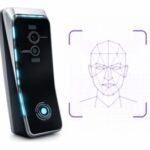
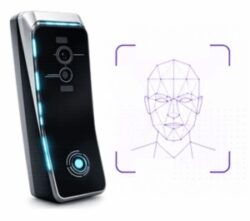
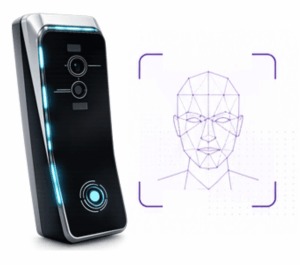
Some systems send images to the cloud for matching. Others do the work on the device itself, which is called edge processing. MadEye describes its approach as edge-native: the Vision A64 captures and processes facial data locally, checks identity against authorised templates, and sends the result to the connected access control system.
The company lists the advantages of this design as speed, resilience, and privacy. Because matching happens on the device, access decisions do not depend on a continuous cloud connection, and facial data does not have to leave the site for every entry. For a busy entrance, local processing can also mean less delay.
How the Vision A64 Works
MadEye describes the Vision A64 process in five steps:
- Approach: the user walks up to the device.
- Capture: dual RGB and near-infrared (NIR) cameras capture facial data.
- Recognise: edge processing extracts and matches facial biometrics.
- Verify: identity is checked against authorised templates locally.
- Grant or deny: the result goes straight to the connected access control system.
MadEye says recognition takes under a second, which supports a smooth flow of people through high-volume entrances.
Key Specifications
From MadEye’s product page, the Vision A64 includes:
- Camera: dual RGB/NIR, intended for reliable capture across changing light conditions
- Network: 100M/1G Ethernet and Wi-Fi
- Access control output: Wiegand and OSDP
- Authentication options: multi-factor workflows, QR codes, and mobile authentication
- Power: 12V, 2A, with PoE available using an external injector
- Size: 52mm × 144mm
- Management: on premise or through MadEye MVC Cloud
- Integration: REST/API, turnstiles, door controllers, and access databases
Wiegand and OSDP matter because they are common ways for readers to talk to door controllers, so the unit can connect to many existing access systems. Check the current datasheet before you specify it for a project.
Central Management With MadEye MVC
One device is easy to manage. Fifty devices across several sites need a central view. MadEye MVC is described as a centralised management platform for devices, users, access permissions, and events. For security managers, that means adding or removing a person once and having the change apply across sites, with a single record of access events.
Where These Systems Are Used
MadEye lists these environments for its facial recognition solutions:
- Corporate and commercial: offices, campuses, and mixed-use buildings
- Industrial: factories, warehouses, and restricted areas
- Public sector: government buildings, transport hubs, and public infrastructure
- Sports stadiums: high-throughput identity checks for fans, staff, and VIP areas
- Military and defence: secure installations and sensitive environments
The common thread is a need to move many people through quickly while keeping tight control over who gets in.
Security and Compliance Features
MadEye says the Vision A64 uses encrypted communications, controlled device administration, and secure API integration, and lists CE and FCC certification as well as a “Government Cybersecurity Approved” designation. Treat these as the vendor’s claims and ask for the supporting certificates and test reports, particularly if you work in a regulated sector.
Privacy and Legal Points to Consider
Facial recognition handles biometric data, which many places regulate strictly. Rules vary by country and sometimes by state, and they often require a lawful basis, clear notice, limits on retention, and sometimes explicit consent. Before you deploy:
- Check local law and get legal advice for your jurisdiction.
- Be clear about purpose. Use facial data for access control only, and say so.
- Minimise and protect data. Ask where templates are stored, how long they are kept, and how they are encrypted.
- Offer an alternative where appropriate, such as a card or QR code, for people who cannot or prefer not to use face recognition.
- Plan for errors. No system is perfect, so decide what happens when someone is wrongly rejected.
MadEye describes its approach as privacy by design, with local processing. That is a useful starting point, but your own policies and legal obligations still apply.
Questions to Ask Any Vendor
- Does matching happen on the device, in the cloud, or both?
- How does it perform in low light, strong backlight, and with masks or glasses?
- How does it integrate with our existing doors, turnstiles, and software?
- How are updates, security patches, and support handled?
- What happens during a network outage?
- What certifications can you document?
- Can we run a pilot before a full rollout?
Getting Started
MadEye invites enquiries through its contact page, where you can choose a general enquiry, a sales enquiry, or a demo request. It lists regional email contacts: [email protected], [email protected], [email protected], and [email protected]. Prepare a short brief with your site type, number of entrances, expected throughput, and existing access system, and ask for a pilot.
Frequently Asked Questions
1. What is face recognition access control? A system that identifies people by their face and unlocks doors or gates for those who are authorised.
2. What does “edge” processing mean? The face is matched on the device itself instead of being sent to the cloud, which can improve speed, resilience, and privacy.
3. How fast is the MadEye Vision A64? MadEye says recognition takes under a second.
4. Can it connect to my existing access system? It supports Wiegand and OSDP outputs, plus REST/API integration, and MadEye lists turnstiles, door controllers, and access databases as integration points. Confirm compatibility with your own equipment.
5. How is it managed? On premise or through MadEye MVC Cloud, a centralised platform for devices, users, permissions, and events.
6. Does it work in different lighting? It uses dual RGB and NIR cameras intended for reliable capture across changing light conditions. Test it at your own entrances.
7. Is facial recognition legal to use for access control? It depends on where you are. Biometric data is regulated in many places, so take legal advice before deploying.
8. How do I contact MadEye? Use the contact form at madeye.ai/contact or email [email protected], [email protected], [email protected], or [email protected].